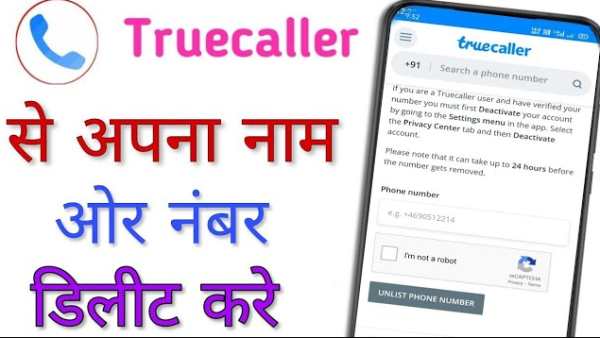
Deactivate Truecaller Account: in today’s time truecaller It has become a very popular app to identify unknown callers. It not only shows the name and location of the caller but also alerts users of spam and scam calls. If a number has been reported as spam by many people, Truecaller also highlights it in red color. However, as beneficial as this app is, concerns about privacy are also increasing. Many people do not want their phone number and contact details to be publicly available. For this reason many users Truecaller account Want to deactivate and unlist your number from the Truecaller database.
If you also want to delete your information for some reason, then this article is for you. Here we are giving you a step-by-step guide, through which you can easily delete your details from Truecaller.
How to deactivate Truecaller account
Step 1: Open Truecaller app
Open the Truecaller app in your mobile and go to the profile section.
Step 2: Go to Settings
After tapping on the profile, select the Settings option.
Step 3: Select Deactivate Account
Now click on Deactivate Account and confirm.
How to unlist phone number from Truecaller?
Even after deactivating your Truecaller account, your number may still remain in their database. Therefore it is necessary to unlist the number manually.
Step 1: Open Truecaller Unlist page
Go to the official website of Truecaller and open the Unlist Phone Number page.
Step 2: Enter phone number
Select the country code and enter your mobile number.
Step 3: OTP Verification
Verify by entering the OTP received on your number.
Step 4: Unlist the Number After verification, your number will be removed from the Truecaller database.
How long does it take to remove a number from Truecaller?
Usually within 24 to 48 hours your phone number is completely removed from Truecaller’s directory.
Benefits of deleting Truecaller
Your privacy is protected
Phone number is removed from public search
Unwanted tags and incorrect names are removed
Worries about data sharing end
Contact to : xlf550402@gmail.com
Copyright © boyuanhulian 2020 - 2023. All Right Reserved.