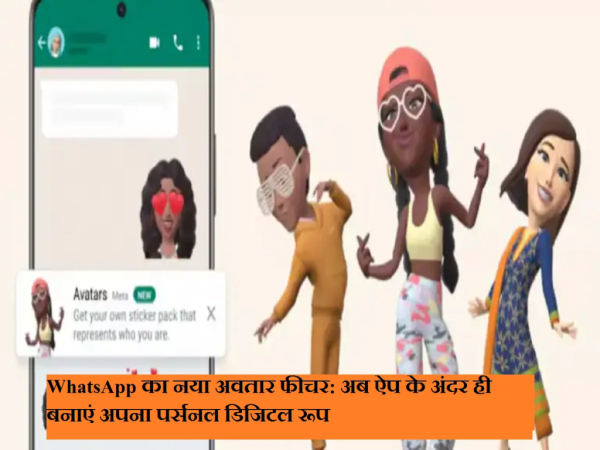
WhatsApp keeps introducing new features to improve the experience of its users. In this series the company has now In-app avatar feature Has been launched, through which users can directly access their personalized digital avatar Can make. You can use this avatar Stickers, chat reaction and even profile photo Can also be done as.
This new feature is available all over the world including India. Android and iOS users It is available for free and gives users the opportunity to express their identity in a new way.
What is WhatsApp avatar and its benefits?
WhatsApp avatar is a digital character, which you can design according to your appearance. It offers many customization options like skin tone, face shape, hairstyle and body type.
This feature is especially useful for people who don’t want to share their original photo, but still want to show a personal identity.
How to create WhatsApp avatar manually
- Open WhatsApp and do the above three dot menu Tap on.
- Menu > Settings > Avatar Go to.
- Create your Avatar Tap and then Get Started Select.
- Create Manually Select option.
- Now choose skin tone, hairstyle, face shape and body type.
- Customize your avatar by following the steps given.
- At the end Save Tap on.
Create avatar through chat
- Open any chat.
- sticker icon Tap on.
- Avatar Select and start the process.
How to create avatar from selfie
- Settings > Avatar Go to.
- Create your Avatar > Get Started Select.
- Create from Selfie Tap on.
- Allow camera access.
- Place the face in the center of the frame and take the photo.
- Edit the avatar as per your choice.
- Save and ContinueThen Save Tap on.
WhatsApp only uses your photo to create an avatar and later deletes it.
Important things to pay attention to
- Avatars can be deleted at any time, but cannot be recovered after deletion.
- Selfies are not used for any other purpose.
- in avatar There is no option to choose gender।
- Avatars are not available on the linked device or companion phone.
Why is this feature of WhatsApp special?
This feature makes WhatsApp more interactive and personal. Digital identity, privacy and creativity – the best balance of all three is seen in this update.
Contact to : xlf550402@gmail.com
Copyright © boyuanhulian 2020 - 2023. All Right Reserved.