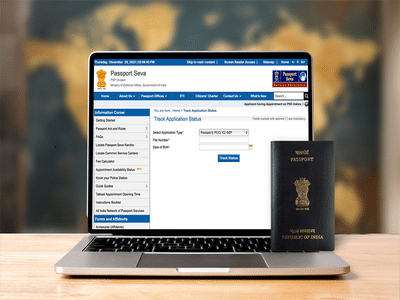
A passport is an essential document for Indian citizens planning to travel abroad. Issued by the Government of India, an Indian passport allows international travel and is generally valid for 10 years, after which it must be renewed.
Since passport issuance can take a few weeks, tracking your application status is important—especially if you have upcoming travel plans. Thankfully, the government provides a simple way to check passport status online through its official portal.
What You Need to Check Passport StatusBefore you begin, keep the following details handy:
-
15-digit passport file number (received after application submission)
-
Date of birth
Follow these steps to track your passport application:
Step 1Visit the official Passport Seva Portal website.
Step 2Click on “Track Your Application Status.”
Step 3Select the type of passport application from the drop-down menu.
Step 4Enter your 15-digit file number and date of birth.
Step 5Click on “Track Status.”
The current status of your passport application will be displayed on the screen.
Applicants can also track their passport status using the mPassport Seva app, which provides real-time updates.
-
Available on Android and iOS
-
Requires a one-time registration
-
Useful for quick status checks on the go
Always save your passport file number after submitting the application. It is required not only for tracking status but also for future communication with passport authorities.
Contact to : xlf550402@gmail.com
Copyright © boyuanhulian 2020 - 2023. All Right Reserved.