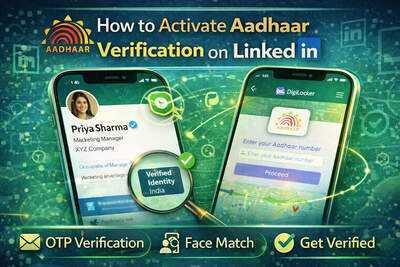
LinkedIn has rolled out a new feature in India that enables users to verify their identities using Aadhaar credentials. This initiative, introduced by the professional networking platform owned by Microsoft, aims to foster greater trust and transparency among its users.
Global Rollout of Verification Feature
India is now the second nation, following the United States, to receive this government ID-based verification from LinkedIn. The process is entirely voluntary and free, allowing users to decide whether they want to verify their identity.
Benefits of Verification
Having a verified profile can significantly enhance a user's credibility, aiding in networking, job applications, and connections with recruiters.
Understanding Aadhaar Verification
The Aadhaar verification feature allows users to authenticate their identity through their government-issued Aadhaar ID. Once verified, LinkedIn will display a badge on the user's profile, indicating that the account is genuine.
Privacy Assurance
It's important to note that LinkedIn does not store your Aadhaar number. The verification process is conducted through DigiLocker and its identity verification partner, Hyperverge, ensuring user privacy and security.
Purpose Behind the Feature
LinkedIn's primary objective with this feature is to enhance authenticity and trust within the platform. The company aims to ensure that users feel secure while engaging with professionals, recruiters, and organizations.
Requirements for Verification
To initiate the verification process, users must have the following:
- A valid Aadhaar number
- An Indian mobile number linked to Aadhaar
- An active LinkedIn account
- Access to DigiLocker (which will be created automatically if not already available)
Additionally, the name on the Aadhaar card must match the name on the LinkedIn profile to avoid verification failures.
Steps to Verify Your Profile
To activate identity verification on LinkedIn, follow these steps:
After completing these steps, LinkedIn will show the verification status on your profile.
Privacy Considerations
LinkedIn has emphasized several privacy measures regarding Aadhaar verification:
- The platform does not retain your Aadhaar number.
- Government ID details are not publicly visible.
- Verification is conducted through secure third-party services.
Only the verified badge will appear on the user's profile, confirming their identity.
Advantages of a Verified Profile
Having a verified LinkedIn profile can provide numerous benefits, including:
- Increased trust from recruiters and employers.
- Enhanced credibility when sending connection requests.
- Better chances for networking opportunities.
- Lower risk of impersonation.
In a time when fake profiles and scams are prevalent, identity verification contributes to a safer professional environment.
Conclusion
LinkedIn's Aadhaar verification feature represents a significant advancement in creating a more reliable professional network in India. By enabling users to authenticate their identities through government ID verification, the platform seeks to enhance transparency and minimize fake profiles.
For those actively using LinkedIn for career growth, networking, or recruitment, verifying your profile can boost your credibility and make your account more trustworthy.
Contact to : xlf550402@gmail.com
Copyright © boyuanhulian 2020 - 2023. All Right Reserved.