The Windows 11 KB5079473 update delivers new functionalities that address authentic user problems. The March 2026 Patch Tuesday Microsoft Windows 11 KB5079473 update launched as an advanced security upgrade, an AI-powered enhancements package that contained multiple new features.
The update brought valuable features to users, including a built-in network speed test, enhanced File Explorer search, and Sysmon support, improving system stability.
This update has become a problem for users because it causes connection, sign-in, and connectivity issues that affect multiple Microsoft applications.
The Update Shows Promise According To Its Documentation
The team developed KB5079473 to enhance both user experience and security protection. The system provides upgrades to Windows Defender Application Control and Secure Boot, along with other system components, enabling users to perform daily operations more efficiently.
As News noted earlier, Microsoft developed enterprise security solutions that enable users to maintain productivity in their work tasks. Microsoft developed KB5079473 as a key update that delivered important system changes through its default package in recent months.
Windows 11 KB5079473: Microsoft Confirms Sign-In Issues
Microsoft has officially recognized the sign-in issue after users started reporting it. Microsoft has confirmed that users experience problems with Microsoft account sign-in because the update affects multiple applications, including Teams, OneDrive, Edge, Word, Excel, and Microsoft 365 Copilot.
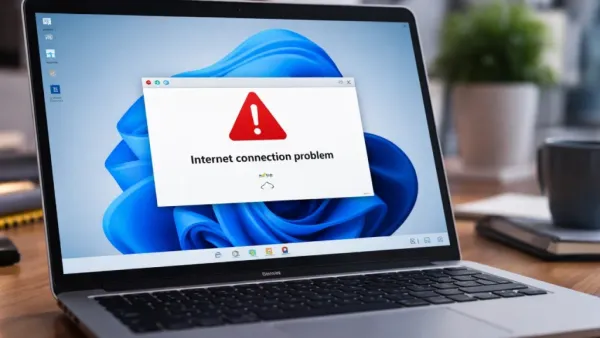
The bug causes apps to display an error message indicating that the device lacks internet connectivity, even though it remains connected. This has created confusion for users because the problem seems to stem from network issues, yet it actually results from authentication failures.
The problem primarily affects sign-ins through Microsoft accounts, while enterprise environments using Entra ID remain mostly unaffected.
The Problem Exists Because Of Network Connectivity Issues
The update installation process activates a specific network connectivity state, which creates the main issue. Windows operates under this condition, yet it cannot properly authenticate applications because the user has active internet access.
This explains why users see messages like “You’ll need the Internet for this” even though they’re online. The issue does not terminate the connection, but it prevents applications from checking their connection status and reaching Microsoft services.

Temporary Fix And Workaround
Microsoft has established a temporary solution because it continues to develop a final solution. Users should restart their device according to the company’s instructions while maintaining their Internet connection, as this will fix the broken network and return their device to normal operation.
The workaround does not guarantee success across every situation. The system reverts to its original state when an Internet connection is unavailable, as this temporary solution only addresses a specific problem.
A Gap Between Features And Stability
The KB5079473 update demonstrates a recurring problem with Windows updates: it produces extensive feature packages that lead to system instability after users install them. The update brought important enhancements to the system, but actual use revealed software defects that Microsoft has not documented in its official release notes. Microsoft made a statement at launch that all system problems had been resolved, but the increase in user reports of system issues prompted Microsoft to change its position and acknowledge that an existing problem needed resolution.
Security Still Makes The Update Essential
The security problems present in KB5079473 make it essential for organizations to implement this update. The Patch Tuesday release includes this update as part of its required security maintenance, which fixes system vulnerabilities and enhances protection measures. The update creates problems for users since system protection is compromised when they choose to skip the update, but system operation will be interrupted when they proceed with the installation.

Final Thoughts
The Windows 11 KB5079473 update shows mixed results in its implementation. The News article from before provides proof that the system introduced useful new capabilities and enhancements, but users experienced problems signing in and maintaining network access, leading to negative user feedback.
Microsoft has confirmed the problem and is currently developing a solution, making the rapid release of a reliable patch vital to project success. Users must use temporary solutions until they receive system security updates, as both security and system stability must be maintained.
Contact to : xlf550402@gmail.com
Copyright © boyuanhulian 2020 - 2023. All Right Reserved.