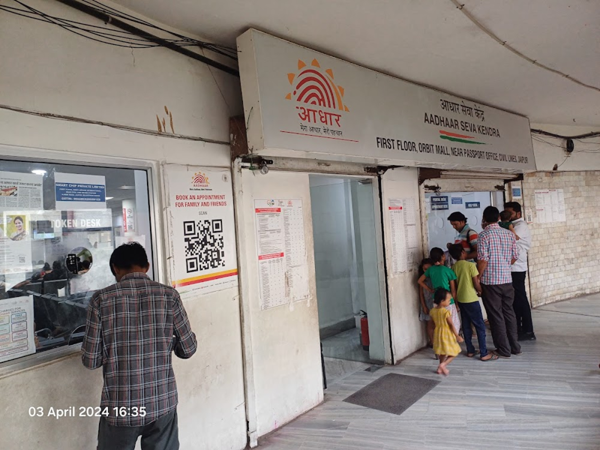
Aadhaar Centre Location: In today's times, the Aadhaar card has become the most crucial document for the identification of Indian citizens. From government-related formalities to opening a bank account, an Aadhaar card is required for almost every essential process. Consequently, the UIDAI periodically advises individuals to keep their Aadhaar-related information updated. Although the facility to update details in Aadhaar has become significantly easier through online channels and mobile devices, there remain certain critical tasks that still necessitate a visit to an Aadhaar Seva Kendra (Aadhaar Service Centre). In such situations, cardholders often lack information regarding the location of their nearest Aadhaar Centre. To address this issue, the UIDAI is introducing a new feature that will make locating an Aadhaar Centre much simpler.
UIDAI Partners with MapmyIndia
The Unique Identification Authority of India (UIDAI) has entered into a partnership with MapmyIndia. Under this collaboration, information regarding authorized Aadhaar Centres will be displayed on MapmyIndia's 'Mappls' app in the coming months. This initiative will greatly facilitate people in locating authorized Aadhaar Centres situated in their vicinity. Furthermore, the app will also allow users to determine which specific services are available at a particular Aadhaar Centre—such as adult enrollment, child enrollment, or facilities solely for updating address and mobile numbers.
Once this feature goes live in the coming months, users will be able to easily access information about authorized Aadhaar Centres simply by searching on the Mappls app. MapmyIndia will integrate the information regarding Aadhaar Centres—provided by the UIDAI—into its Mappls platform.
How to Verify if an Aadhaar Card is Genuine or Fake?
The UIDAI recently shared information via its 'X' (formerly Twitter) handle, guiding people on how to verify whether an Aadhaar card is genuine or fake. You can follow the steps outlined below to perform this verification:
To do this, open the Aadhaar app on your mobile device and enter your 6-digit security PIN.
Once the app is open, click on the option to scan the QR code located in the bottom navigation bar. Tapping on this option will turn on the phone's camera.
Next, scan the QR code located on the Aadhaar card.
Disclaimer: This content has been sourced and edited from NDTV India. While we have made modifications for clarity and presentation, the original content belongs to its respective authors and website. We do not claim ownership of the content.
Contact to : xlf550402@gmail.com
Copyright © boyuanhulian 2020 - 2023. All Right Reserved.