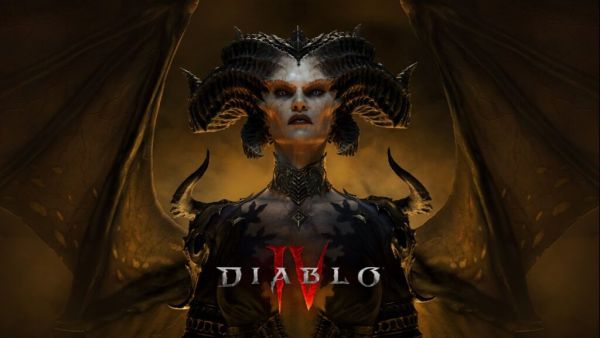
If you are an active player of Diablo 4, you have probably heard about Twitch Drops and the exclusive rewards they bring. With the release of the Lord of Hatred content, these drops have become even more desirable. They offer cosmetics, gear, and limited-time bonuses that you cannot get through regular gameplay. The good news is that unlocking them is not complicated, but you do need to follow a few specific steps carefully.
What Are Twitch Drops In Diablo 4?
Twitch Drops are rewards given to players for watching live streams of Diablo 4 on Twitch. These rewards are tied to promotional events and usually celebrate new updates, expansions, or seasonal content like Lord of Hatred.
Instead of grinding in-game, you earn these rewards simply by watching participating streamers for a certain amount of time. Once unlocked, the rewards are sent directly to your game account.
Typical rewards include:
- Exclusive weapon skins
- Armor cosmetics
- Mount trophies or decorations
- Limited-time event items
These items are often time-limited, which means once the event ends, they may never return.
Step 1: Link Your Accounts Properly
Before you can earn any Twitch Drops, you must connect your Twitch account with your Battle.net account. This is the most important step, and skipping it will prevent you from receiving any rewards.
Here is how to do it:
- Log in to your Battle.net account
- Go to account settings
- Find the connections section
- Link your Twitch account
Make sure the correct account is linked, especially if you have multiple profiles. A mismatch here is one of the most common reasons players miss their rewards.
Step 2: Check Drop Availability
Not all streams offer Twitch Drops at all times. Blizzard usually activates drops during specific promotional periods tied to events like Lord of Hatred.
To confirm availability:
- Visit the Diablo 4 category on Twitch
- Look for streams labeled “Drops Enabled”
- Check the campaign progress in your Twitch inventory
If drops are active, Twitch will show a progress bar that tracks your watch time.
Step 3: Watch Eligible Streams
Once everything is connected, all you need to do is watch streams that have drops enabled. However, there are a few conditions to keep in mind.
- You must be logged into your Twitch account
- The stream must be live and active
- Muting the stream is allowed, but do not mute the browser tab entirely
Most rewards are unlocked after watching for a set duration, such as:
- 30 minutes for basic rewards
- 1 hour for mid-tier items
- 2 to 4 hours for premium cosmetics
You do not need to watch the same streamer continuously. Your progress carries over across different eligible streams.
Step 4: Claim Your Rewards
After reaching the required watch time, the reward does not automatically appear in your game. You need to claim it manually.
- Go to your Twitch inventory page
- Find the completed drop
- Click the claim button
Once claimed, the reward is sent to your Battle.net account and should appear in Diablo 4 shortly after.
Step 5: Log Into Diablo 4
To finalize the process, log into Diablo 4 using the linked account. Rewards are usually delivered instantly, but in some cases, it may take a few minutes.
Check your inventory or cosmetic collection to confirm that the item has been added.
Tips To Maximize Your Drops
If you want to collect every available reward during the Lord of Hatred event, you need to be efficient.
- Start watching as early as possible when the event begins
- Leave a stream running in the background while you do other tasks
- Track your progress regularly to avoid missing claim deadlines
- Follow official announcements for drop schedules
Consistency is key here. Missing even a single day can cost you exclusive items.
Contact to : xlf550402@gmail.com
Copyright © boyuanhulian 2020 - 2023. All Right Reserved.