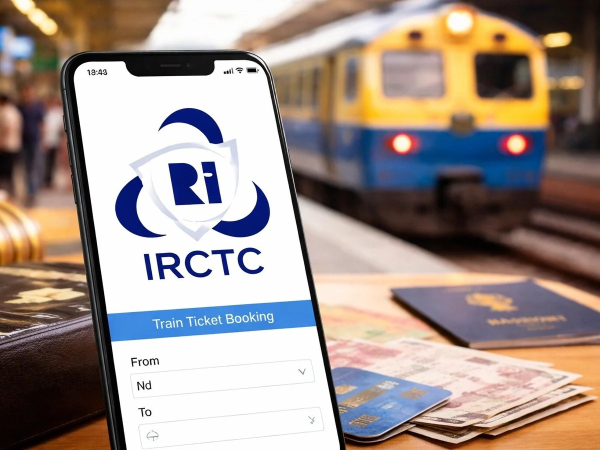
Tips for Booking Confirmed IRCTC Tatkal Tickets: Whether planning a sudden trip due to an emergency or heading home during the festive season, booking a Tatkal ticket via the IRCTC app or website can feel like a race. As soon as the booking windows open at 10:00 AM and 11:00 AM, millions of users attempt to book simultaneously; this causes the site to slow down, and seats often move to the 'waitlist' status almost instantly.
However, with the right preparation and smart booking tricks, you can secure a confirmed Tatkal ticket without hassle. Utilizing strategies such as precise timing, the IRCTC 'Master List' feature, biometric login, and fast UPI payment modes significantly increases your chances of securing a confirmed seat.
**Know the Right Booking and Login Times**
AC Class: Booking starts at 10:00 AM. Sleeper Class: Booking starts at 11:00 AM. Ideal Login Time: Log in exactly 3 to 4 minutes before booking begins—i.e., at 9:56 AM or 10:56 AM.
(Note: Logging in too early might cause the session to expire, while logging in at the exact start time could lead to the app hanging due to heavy server traffic.)
**Complete These 3 Essential Preparations Before Booking**
During Tatkal booking, every second spent typing counts. Therefore, configure these settings before the booking window opens. First, visit the 'My Account' section on the IRCTC Rail Connect app or website and save passenger details—names, ages, and genders—to the 'Master List' in advance; this way, you only need to select the passengers during the actual booking process. Additionally, ensure your IRCTC account is verified with Aadhaar; this speeds up passenger approval under the Tatkal quota and helps prevent fraud. Finally, enable fingerprint or Face ID login on the IRCTC app so that if you get logged out unexpectedly, you can log back in within just two seconds.
Use these smart tricks while booking.
Trick Standard Method Optimal Method for Tatkal
Payment Mode Net Banking or Debit Card UPI AutoPay or IRCTC eWallet
Seat Preference Selecting Lower or Window Seat 'No Preference' (System instantly assigns an available seat)
Berth Allotment Condition Accepting any ticket Book only if a confirmed berth is available
Select the 'Auto-Upgrade' option.
Make sure to select the 'Auto-Upgrade' option when booking your ticket. This offers the benefit that if a seat becomes available in an AC class, your ticket will automatically be upgraded to that class, thereby increasing the chances of securing a confirmed seat.
Use fast internet and alternative apps.
Use your 5G mobile data or a strong personal connection instead of office or public Wi-Fi. If the IRCTC app is running slowly due to heavy traffic, you can use authorized partner apps certified by Indian Railways, such as ConfirmTkt or RailYatri. These apps quickly display information regarding available Tatkal seats on alternative trains.
Disclaimer: This content has been sourced and edited from NDTV India. While we have made modifications for clarity and presentation, the original content belongs to its respective authors and website. We do not claim ownership of the content.
Contact to : xlf550402@gmail.com
Copyright © boyuanhulian 2020 - 2023. All Right Reserved.