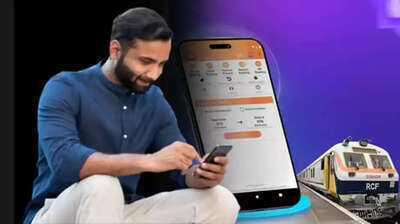
You might be familiar with the IRCTC website or app for train ticket booking, but are you aware of the UTS app? This is another very useful app designed for railway passengers. UTS, which stands for Unreserved Ticketing System, allows you to book general and platform tickets in minutes using your mobile phone.
In a way, this app brings the railway ticket counter to your pocket. With this app on your phone, you don't need to stand in line at the counter or worry about handling paper tickets. With online payment, paperless tickets, and an easy interface, this app saves time and makes travel more convenient. Let's understand the special features of this app in detail.
What is the UTS app?
UTS, or Unreserved Ticketing System, is a mobile application of Indian Railways. This app has been developed by CRIS (Centre for Railway Information Systems). This app helps passengers buy unreserved tickets, platform tickets, and season tickets.
Another special feature of this app is that passengers do not need to print out the tickets booked through it. This is because the tickets booked through this app are delivered digitally to your phone. You can easily buy general tickets and platform tickets through this app.
How to book tickets with the UTS app?
Open the UTS app on your phone and log in.
If you are a new user, you will first have to register on the app and set a password. After that, log in with your ID and password.
Now you can select the Book Ticket option on the app's home screen.
Then enter the station name and other ticket-related information.
After that, complete the payment process. As soon as the payment is made, the ticket will appear on your mobile in digital format.
How to buy platform tickets with the UTS app?
In addition to buying general tickets, you can also buy platform tickets using this app. For this, first log in to the app and then:
Select the Platform Ticket option visible at the top of the home screen.
Then select the Paperless option. Enter the station name and select the number of tickets required. Then, choose your payment method from options like R-wallet, UPI, Debit card, or Credit card.
After completing the payment, you will receive the platform ticket on your phone.
What is the QR Booking option?
The UTS app also offers a QR booking option. This option allows passengers to purchase tickets at the station without standing in line and without any location restrictions. While ticket purchases through the app usually require GPS location verification, this condition does not apply to QR booking.
To book a ticket using this option, UTS QR codes are placed near the ticket counters at railway stations. Passengers can open the UTS app, select the "QR Booking" option, and scan the QR code at the station to book a general or platform ticket.
Disclaimer: This content has been sourced and edited from Navbharat Times. While we have made modifications for clarity and presentation, the original content belongs to its respective authors and website. We do not claim ownership of the content.